MediaBanner
미디어 위에 텍스트 오버레이가 있는 배너 컴포넌트
Hero Banner (324 x 404)
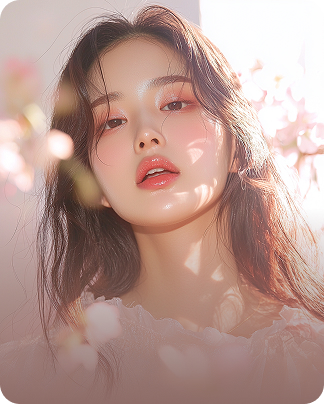
<MediaBanner
  to="#"
  media={{
    src: "...",
    width: 324,
    height: 404,
  }}
  brand="Brand Name"
  style="layered"
  class="rounded-[20px]"
  contentPosition={{
    textAlign: 'center',
    justify: 'end',
  }}
>
  <Typography slot="title" size="xxl" weight="medium">
    StyleKorean <br />
    Renewal SALE
  </Typography>
  <Typography slot="description" size="sm" class="...">
    the more free gifts you receive
  </Typography>
</MediaBanner>
Full Image Banner (393 x 92)

<MediaBanner
  to="#"
  media={{
    src: "...",
    width: 393,
    height: 92,
  }}
  contentPosition={{
    justify: 'center'
  }}
>
  <Typography slot="title" size="md" weight="bold" class="line-clamp-1">
    $1 딜 전용 배너
  </Typography>
  <Typography slot="description" size="sm" class="...">
    Description Description
  </Typography>
</MediaBanner>
Aside Layout Banner (393 x 92)
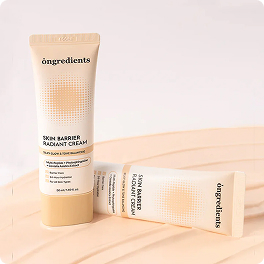
<MediaBanner
  to="#"
  media={{
    src: "/assets/images/dummy/home/product-264x264.jpg",
    width: 393,
    height: 92,
  }}
  bgColor="#54ada0"
  contentPosition={{
    textAlign: 'left',
    justify: 'center'
  }}
>
  <Typography slot="title" size="md" weight="bold" class="text-primary-02 line-clamp-1">
    $1 딜 전용 배너
  </Typography>
  <Typography slot="description" size="sm" class="text-primary-02/80 ...">
    Description Description
  </Typography>
</MediaBanner>
Image Only Banner (393 x 92)

<MediaBanner
  to="#"
  media={{
    src: "...",
    width: 393,
    height: 92,
  }}
/>
Props & Slots
Props:
to- 링크 URL (선택)media- 미디어 정보 (src, alt, width, height)brand- 브랜드명 (선택)bgColor- 배경색 (선택, 설정 시 aside 레이아웃)style- "layered" 포함 시 오버레이 적용contentPosition- 텍스트 위치 (textAlign, justify)class- 추가 CSS 클래스
Slots:
title- 타이틀 영역description- 설명 영역